For head units, TVs and other embedded Linux devices.
Android apps on a Linux head unit.
Drion runs Android apps inside a head unit’s own Linux UI. The unit does not run Android Automotive OS, and no phone is connected. Parked, each app is the full app. In Drive, Drion takes Android Auto’s place. The app switches to its Android Auto screens, and Drion draws them.
It follows the gear.
The head unit reports one thing, parked or driving. In Drive, Drion puts every running app into its Android Auto mode. Apps that have none close until Park.
OsmAnd, the full app with a planned route.
Stills from the recording.
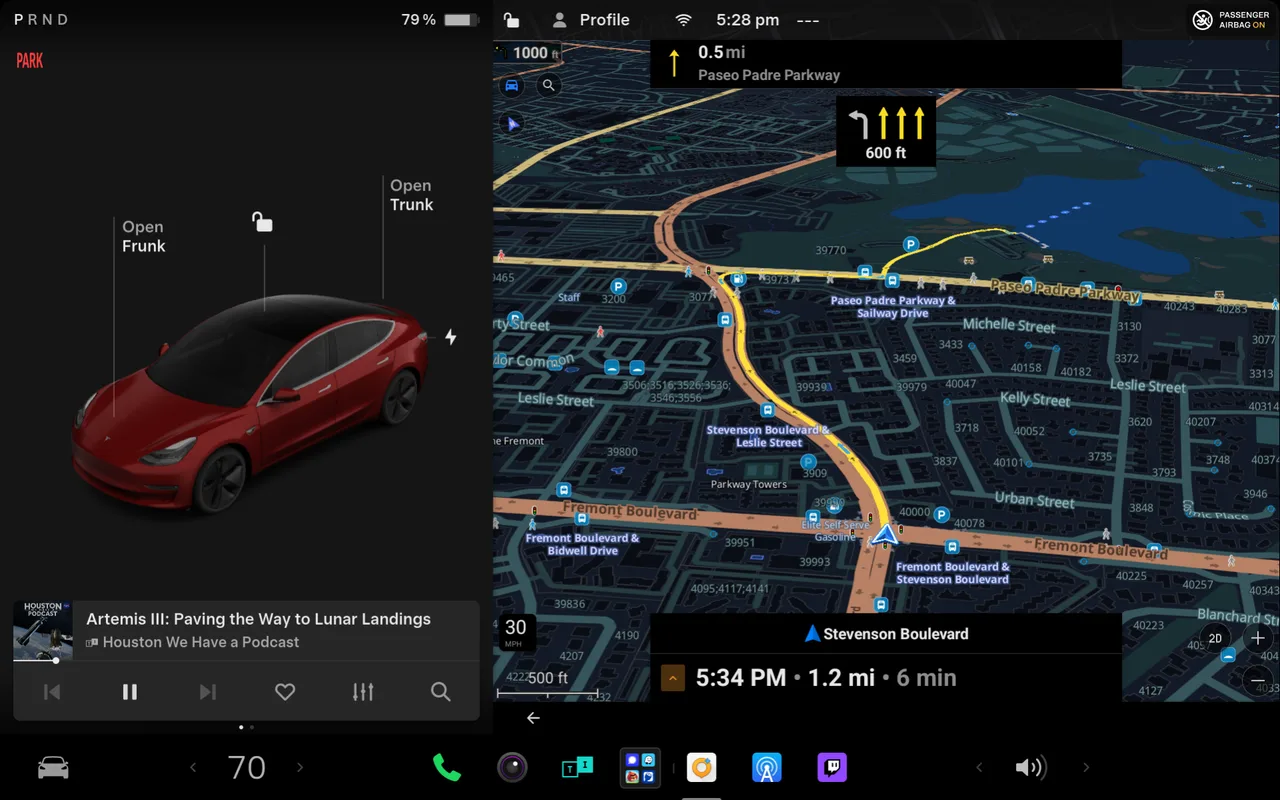
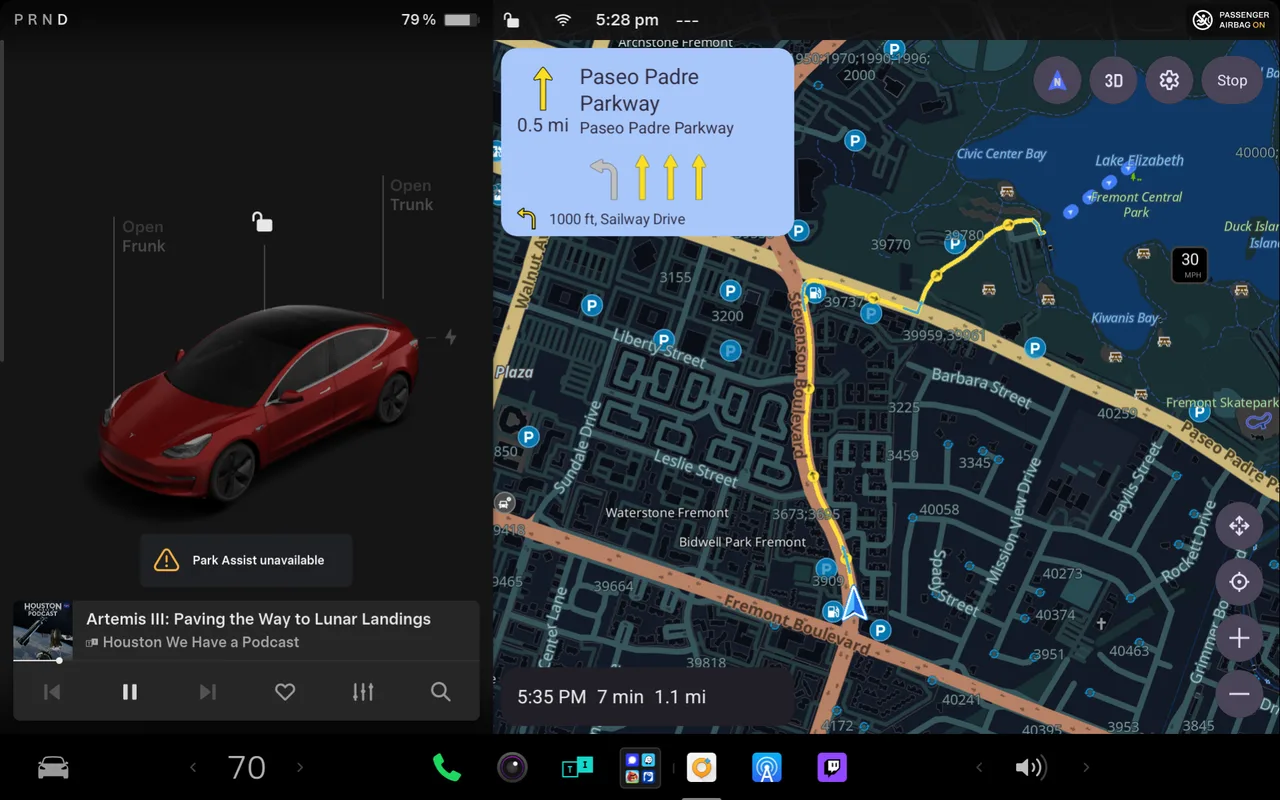
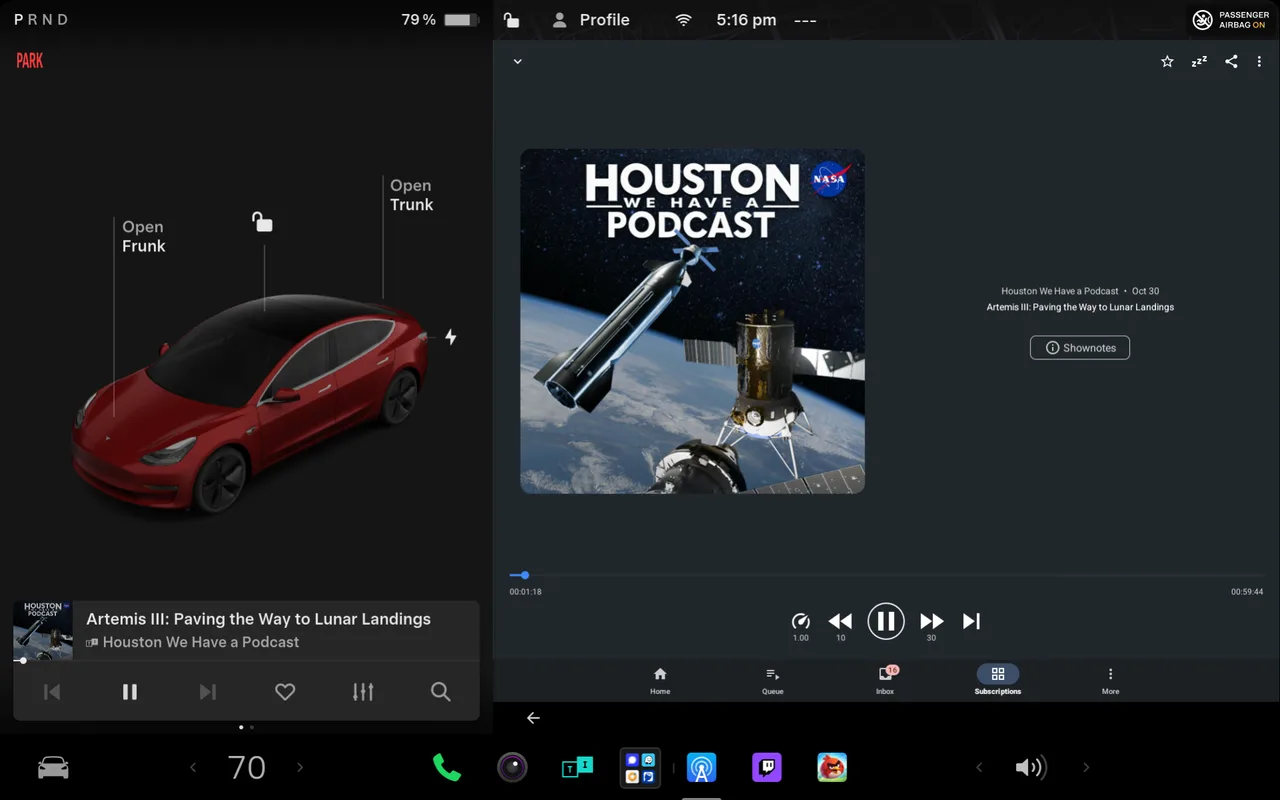
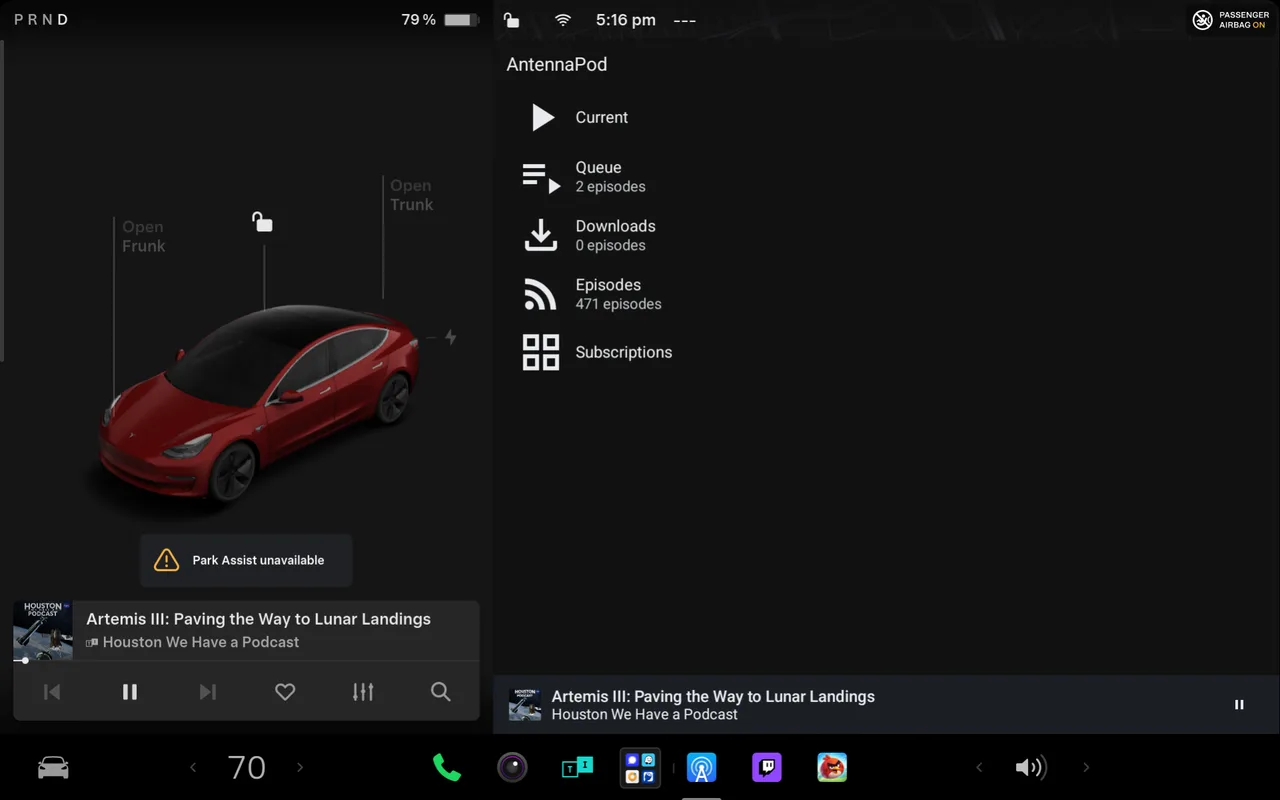
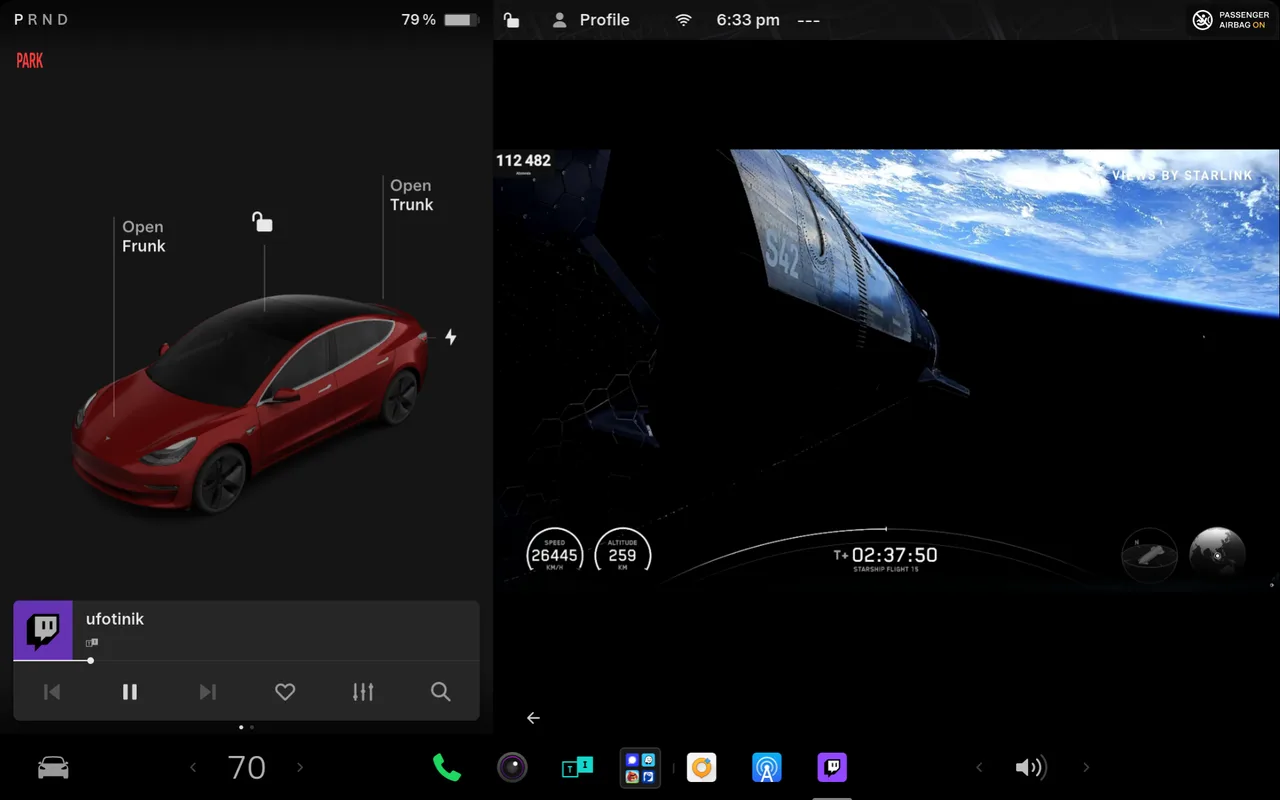
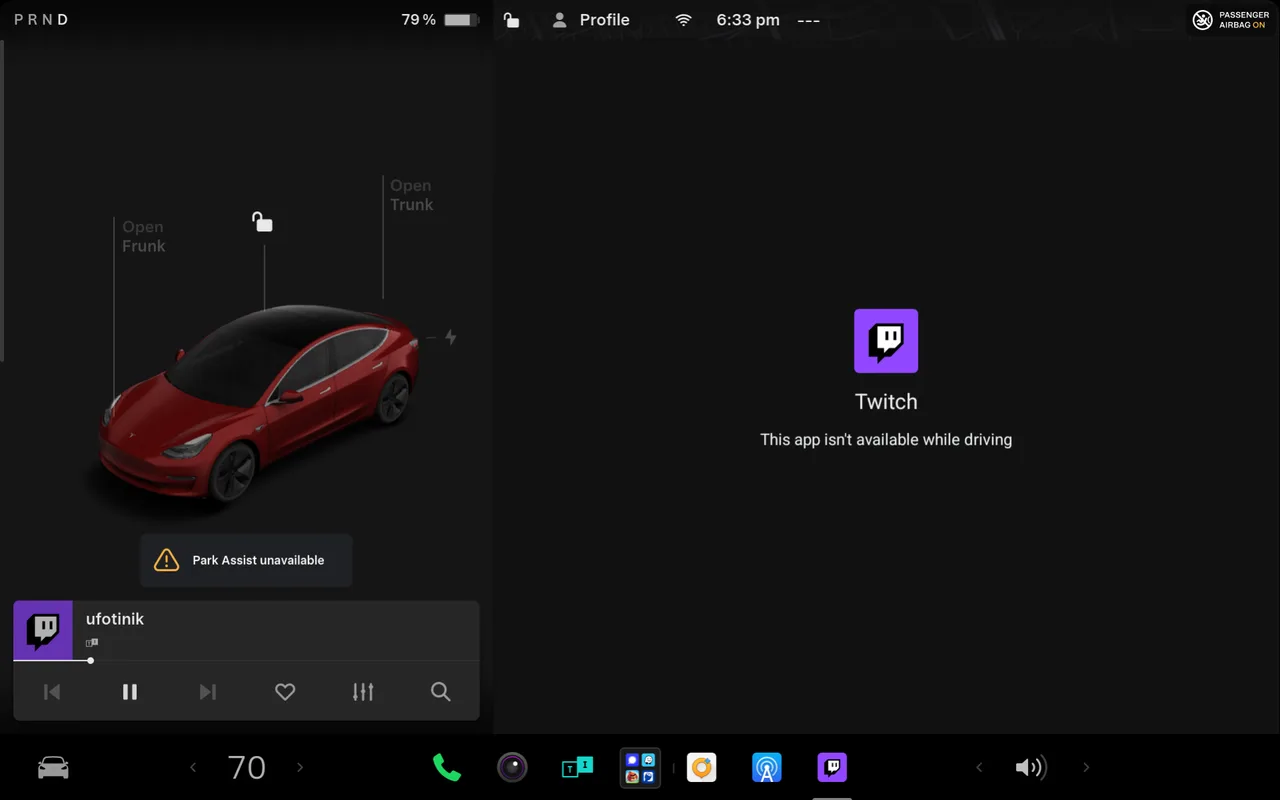
No Android Automotive OS. No phone.
Google has two ways to put apps on a car screen. Drion is a third, for units that already run Linux. In Drive it talks to apps the way Android Auto does, without the phone.
Android Automotive OS
Google's operating system for the head unit.
- Head unit runs
- Android
- Apps run
- On the head unit
- Needs a phone
- No
- Car screens
- App templates, drawn by the OS
Android Auto
Projection from an Android phone onto the car screen.
- Head unit runs
- Any OS with an Android Auto receiver
- Apps run
- On the phone
- Needs a phone
- Yes
- Car screens
- App templates, drawn by Android Auto
Drion
An Android app runtime on the Linux the unit already runs.
- Head unit runs
- Your Linux and your UI
- Apps run
- On the head unit, each as a sandboxed Linux process
- Needs a phone
- No
- Car screens
- The same templates, drawn by Drion
Apps need no Drion build. In Drive, Drion talks to the car code they already ship for Android Auto, through the androidx Car App Library and Android’s media browser interface.
Drive switches each app to Android Auto mode.
An app that supports Android Auto ships a car interface beside its phone UI. With a phone, Android Auto connects to it, asks for screens, and draws the templates the app sends back. When the head unit reports Drive, Drion makes that same connection and draws the same templates. It does not resize or restyle the phone UI.
Head unit UI
Reports Park or Drive.
Drion
Acts as the Android Auto host.
App panel
A region of the unit’s own UI.
On your device
Add the runtime
Drion installs beside your UI. No VM, guest kernel or Android system image.
Place the app panel
Give apps a region of the screen. Your UI keeps the rest.
Report the mode
Tell Drion when the car is parked or driving. In the demo, the gear is that signal.
Also in car mode
Vehicle data
The unit reports position, speed and heading. Apps read them through Android's location API and the Car App Library's CarHardwareManager.
Day and night
The unit tells Drion when it is night. Apps see it as night mode on their car screens.
Checked templates
Drion checks each template before decoding it. Only known Car App Library classes pass, within size and nesting limits.
What this is, and what it is not.
What it is
- A screen recording of Drion running Android apps inside Tesla’s MCU software, version 2026.26.6.5.
- That software ran in QEMU on a development machine. A script shifted the gear in Tesla’s UI, and Drion followed.
- The apps are their public releases, unmodified. The car screens in Drive come from their own Android Auto code.
What it is not
- Not filmed in a vehicle or on a road.
- Not a product for Tesla vehicles. Tesla owners cannot install it.
- Not a shipping integration. Tesla is not a partner or a customer.
The same runtime, other screens.
Drion targets Linux devices that need Android apps but do not run Android. These categories have no public demo yet.
Smart TVs and set-top boxes
Android apps on a TV that runs its own Linux stack.
Industrial HMIs
Android apps a business already uses, on a Linux operator panel.
Kiosks
One or a few Android apps on a Linux image you control.
Smart displays
Android apps beside the device's own Linux UI.
Each device gets the host adapters that connect Drion to its display, input and hardware.
Platforms and adaptersQuestions about the car demo
Can I install this on my Tesla?
No. This is a technology demo for device makers. Drion is not available for Tesla vehicles, and Tesla owners cannot install it.
Was the video recorded in a car?
No. It is a screen recording of Tesla's MCU software running in QEMU on a development machine. No vehicle was involved, and a script switched the gear.
Is this Android Auto?
Not Google's Android Auto, and no phone. Android Auto runs apps on a phone and projects them onto the car screen. Drion runs them on the head unit itself. In Drive, Drion plays the part Android Auto plays for the app. The app runs its Android Auto code and sends the same screen templates, and Drion draws them.
Does the head unit need Android Automotive OS?
No. The unit keeps its own Linux and its own UI. Drion adds the Android app runtime.
Which apps get a car screen?
Apps that support Android Auto. Apps built on the androidx Car App Library, such as navigation apps, show their Android Auto screens. Media apps get a car player that Drion builds from the app's media library, as Android Auto does. Apps without Android Auto support stay closed while driving.
Who decides what is allowed while driving?
The device maker. Drion applies the mode the head unit reports. Meeting each market's driver-distraction rules is the maker's job.
Is it available?
Not as a product. Drion is in alpha on Linux desktops, SteamOS and Ubuntu Touch. For embedded devices, write to drion@actinis.io.
Building a head unit or another Linux device?
Tell us what the device runs and which apps you need. We will tell you what Drion can do on it.
Email drion@actinis.io
Tesla and Model 3 are trademarks of Tesla, Inc. Android, Android Auto and Android Automotive are trademarks of Google LLC. Map data © OpenStreetMap contributors. Starship broadcast © SpaceX, shown via the Twitch channel “ufotinik”. Podcast artwork: NASA, “Houston We Have a Podcast”. Other app names and logos belong to their owners.